
How to record and generate notes
Recording and turning your audio into notes in Echo is simple. Just follow these steps:
1. Start a recording
Open Echo and tap the record button to begin.
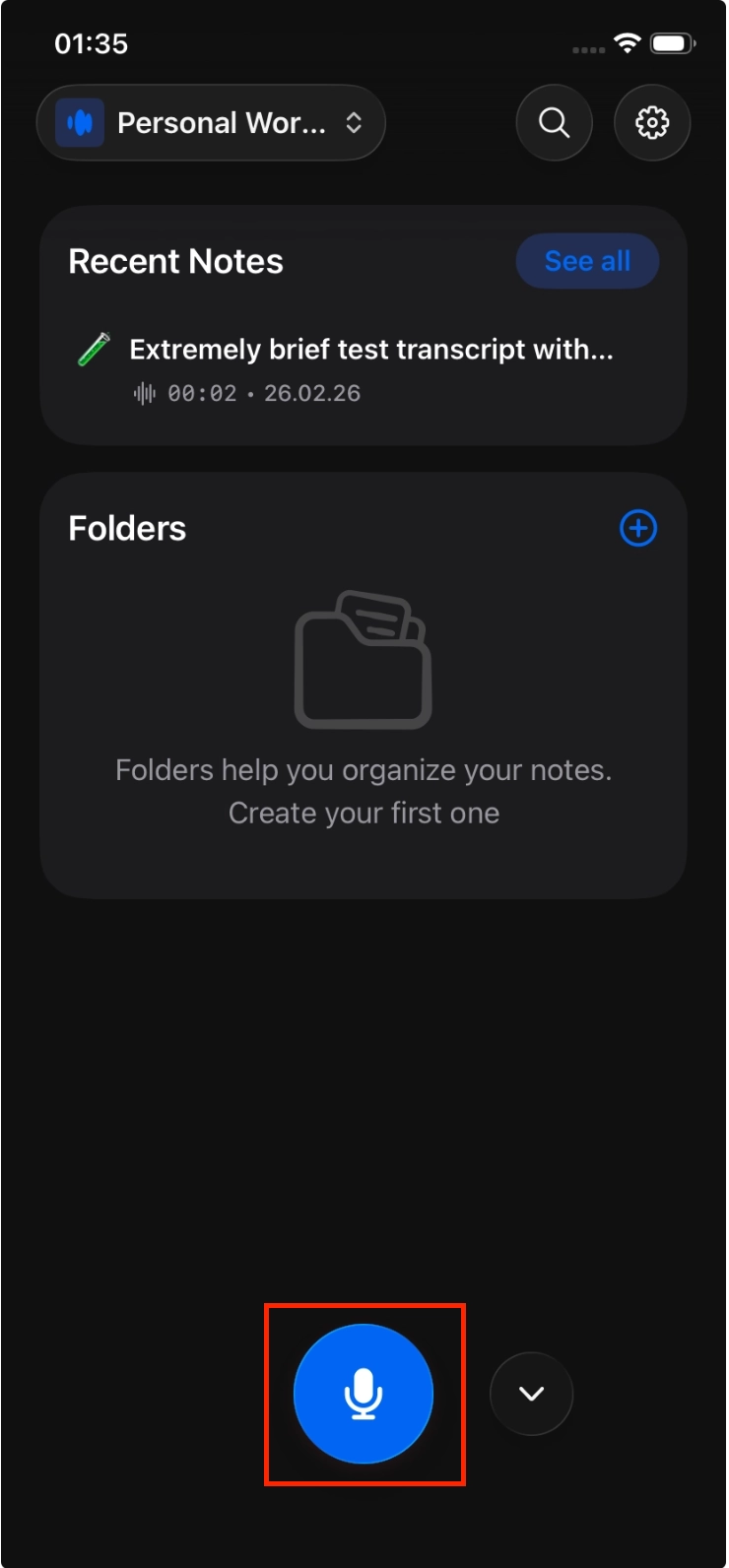
You can record meetings, lectures, conversations, or personal notes.
2. Stop the recording
When you’re done, tap the stop button.
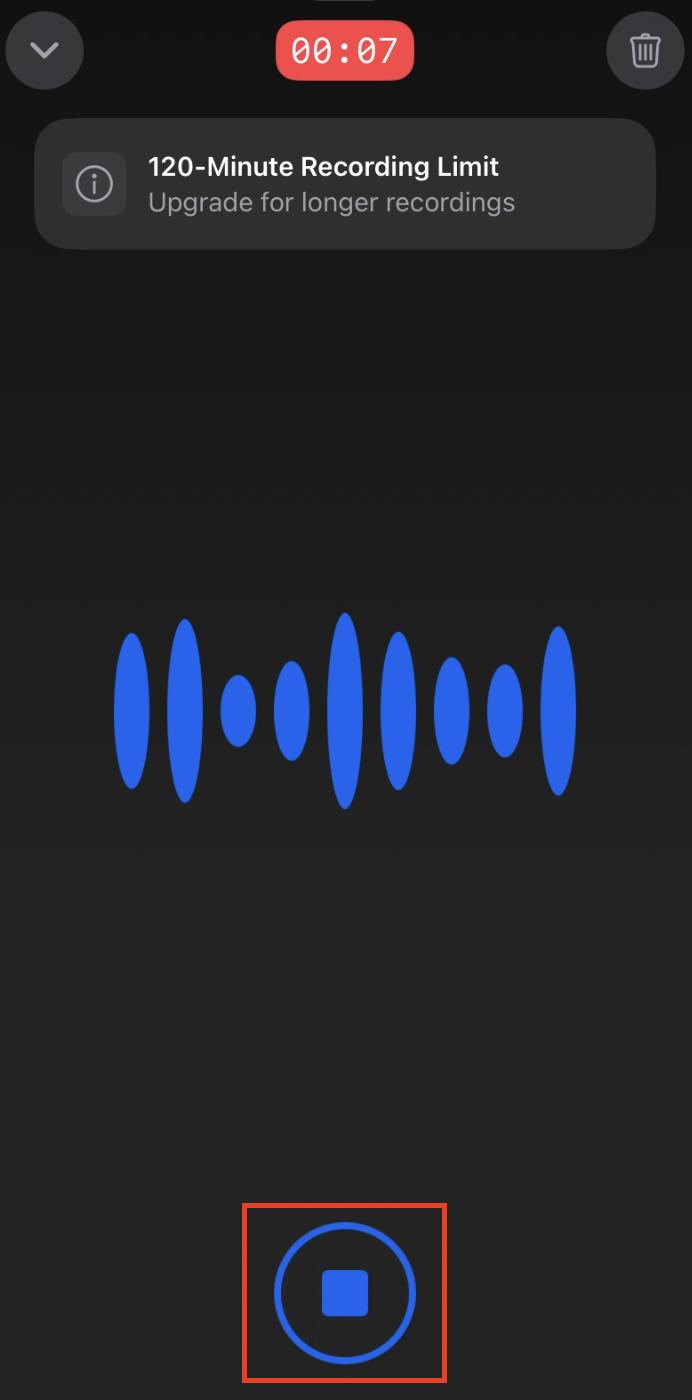
Your recording will then be ready to process.
3. Generate notes
Tap Generate Notes to turn your recording into a transcript and summary.
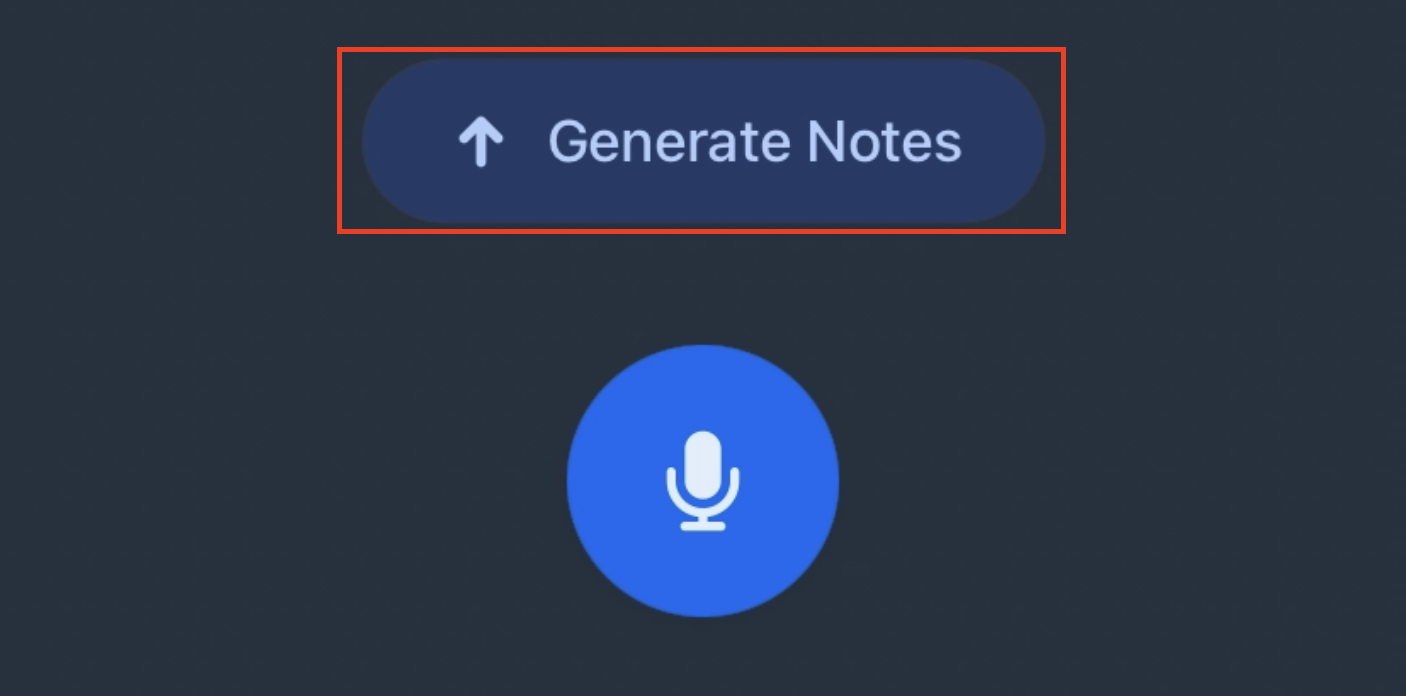
This is a required step. Without it, the recording will not be saved as a note.
Processing your recording
Echo will upload and process your recording.
You may see statuses like:
Uploading
Creating
Retry
For best results, do not terminate the app and ensure you have a stable internet connection during uploading.
View your note
Once processing is complete, you can access your note through the list:
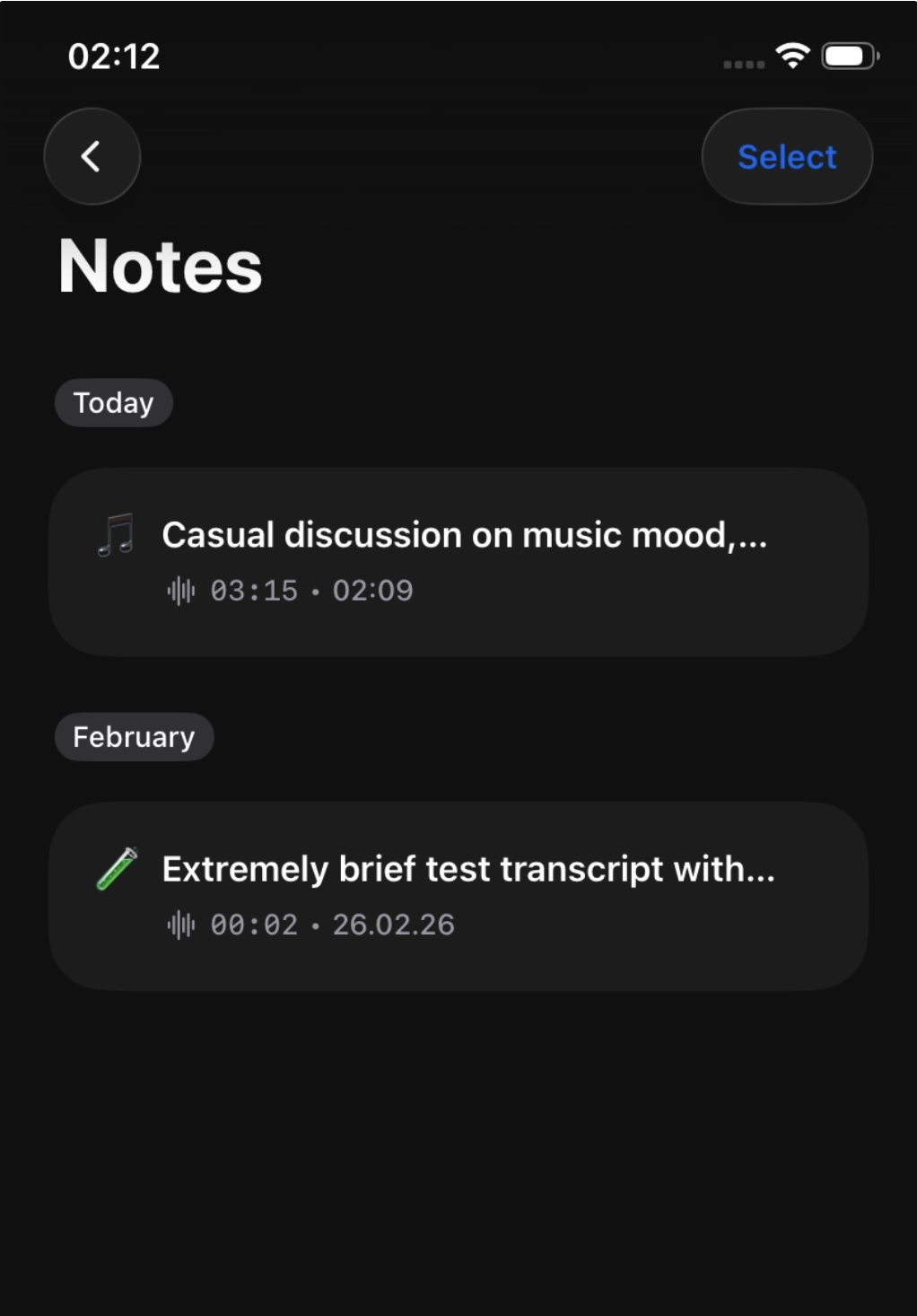
Each note includes:
Full transcript
Structured summary
Audio playback
Important tips
Always tap Generate Notes after recording
Use a stable internet connection when generating notes
Avoid terminating the app during uploading
Make sure you are signed in to keep your notes saved and accessible
Troubleshooting
If something doesn’t work as expected, here are a few things to keep in mind:
If the upload fails (for example due to a weak or unstable internet connection), a “Retry” button will appear. In that case, you can tap Retry to attempt the upload again.
We recommend checking your internet connection and trying again with a more stable connection.
If the app is closed or interrupted before tapping “Generate Notes”, there is a risk that the recording will not be fully processed and may not be recoverable. It is therefore important to tap “Generate Notes” as soon as possible, ideally while connected to a stable internet connection.