
Why was I charged during or after trial?
We understand this can be frustrating. Here’s how trials and subscriptions work in Echo.
How the free trial works
When you start a free trial, it is linked to a subscription that will automatically renew unless it is cancelled before the trial ends.
This process is managed by the platform you subscribed through (Apple or the website).
Why you were charged
You may have been charged if:
The trial period ended and the subscription was still active
The cancellation was not completed before the renewal date
The subscription was cancelled after the billing cycle had already started
The free trial was not selected, or the selected plan did not include a trial
We offer a 3-day free trial on the weekly plan only, and it must be selected during signup.
If another plan (such as monthly or yearly) is chosen, the subscription starts immediately without a trial.
Important: subscription management
How you manage your subscription depends on where you subscribed.
Subscriptions via Apple (App Store)
If you subscribed through the App Store, Apple manages your subscription.
Echo does not have access to billing and cannot process cancellations or refunds. All billing, cancellations, and refunds are handled by Apple.
How to check or cancel your Apple subscription
To manage your subscription:
Open the Settings app on your iPhone or iPad
Tap your Apple ID
Select Subscriptions
Find Echo in the list
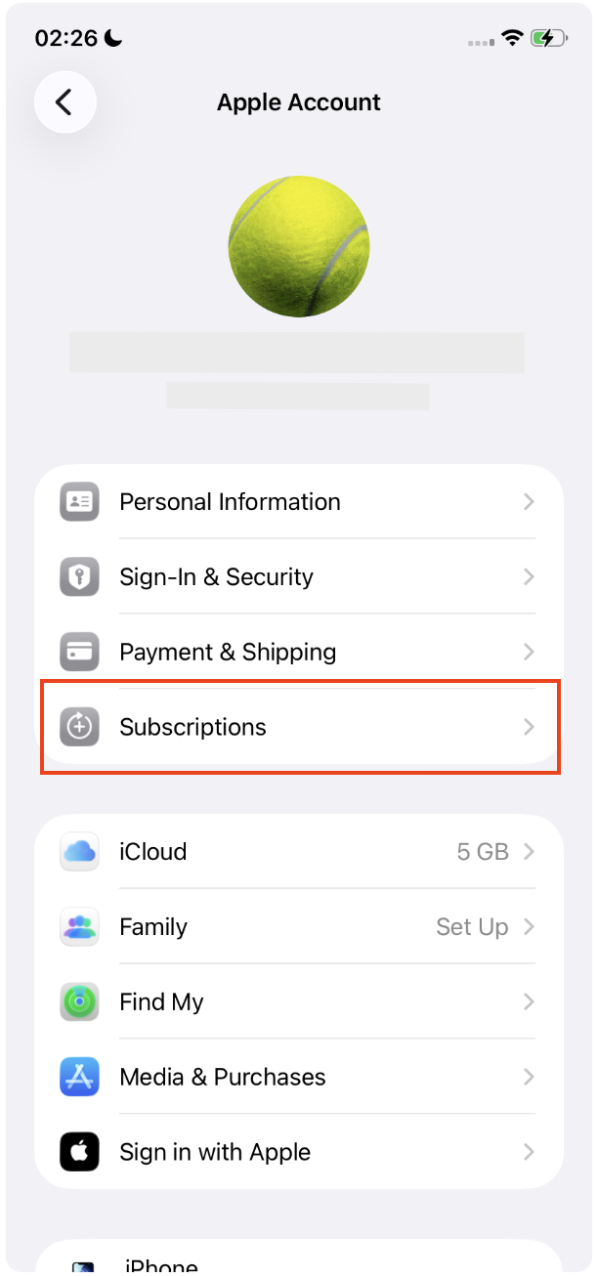
From there, you can:
Check your renewal date
Cancel your subscription
View your billing details
Subscriptions via the website
If you subscribed on the Echo website, your subscription is managed through Paddle.
How to cancel a website subscription
To cancel your subscription:
Go to 👉 https://billing.told.ai
Enter the email address used at checkout
Enter the security code sent to your email
Access your billing dashboard
Select your Echo subscription
Choose Cancel subscription
Your access will remain active until the end of the paid period.
For more information on cancellations: Cancelling your subscription
Refunds
For Apple subscriptions: refunds must be requested through Apple Billing Support
For website subscriptions: refund requests are handled through Paddle and are subject to their approval
For more information on refunds: Requesting a refund
Tips to avoid unwanted charges
Set a reminder before your trial ends
Cancel at least 24 hours before renewal
Make sure the cancellation is confirmed in your subscription settings